Add custom fields
Add your own fields to leads, appointments, contracts and payments, and decide where each field is shown.
Hermon comes with the fields most sales teams need. A custom field lets you store something that is specific to your business, such as a budget range, a niche or a link to an intake document.
Custom fields belong to one type of record. You can add them to Leads, Contracts, Payments and Appointments. Owners also see a Deliveries tab.
Create a custom field
Open Custom Fields
Click Settings in the left sidebar, then Custom Fields. Each tab shows the fields of one record type.
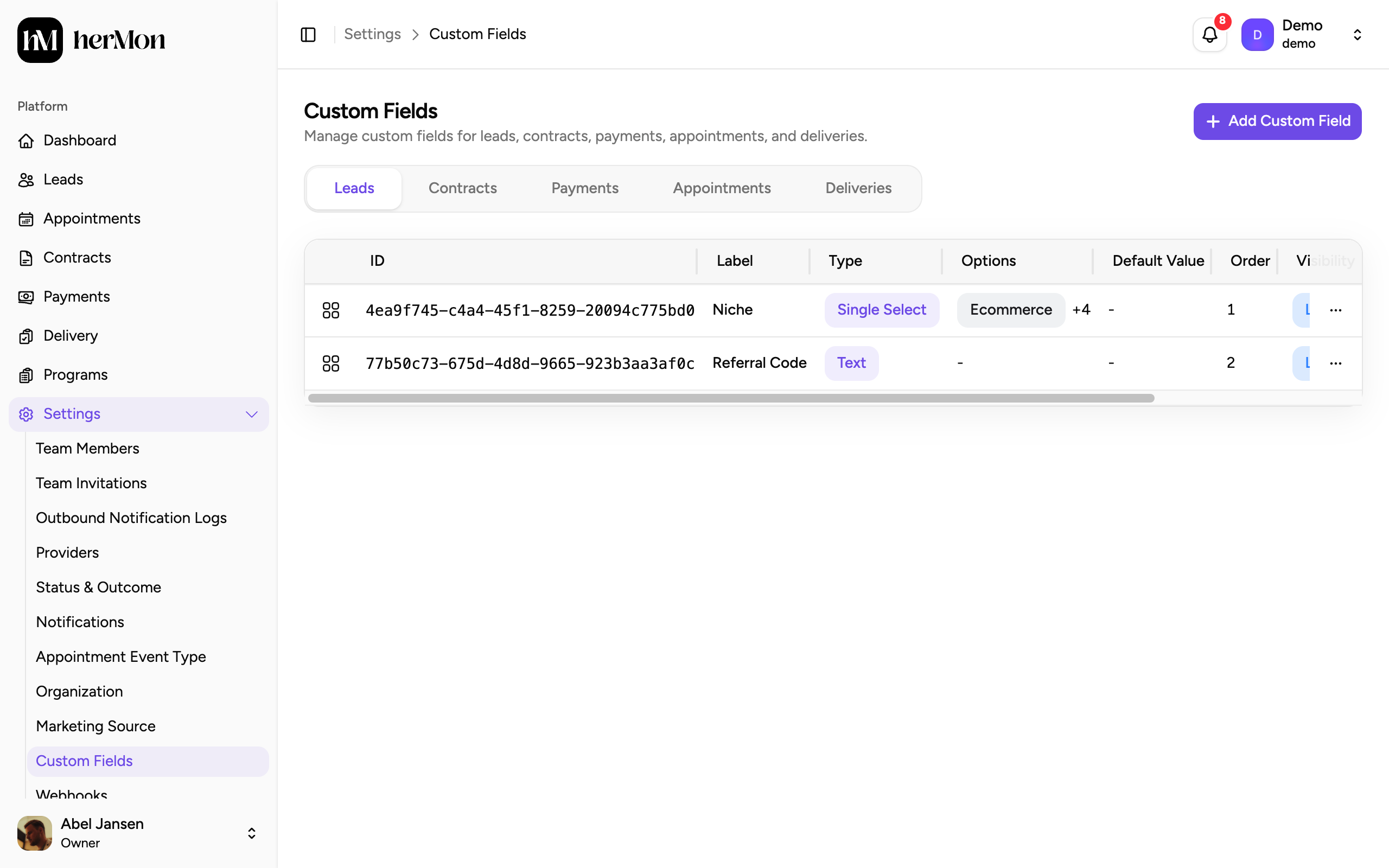
1. One tab per record type. 2. Add a field to the open tab. 3. Where each field is shown. Pick the record type
Click the tab of the record the field belongs to. A new field is always added to the tab that is open.
Click Add Custom Field
The dialog names the record type, so you can check you are on the right tab.
Enter a label and choose the field type
Type a Label. This is the name your team sees. Then choose a Field Type from the table below.
Set a default value and the visibility
A Default Value is optional. Under Visibility, choose Listing, Details or both.
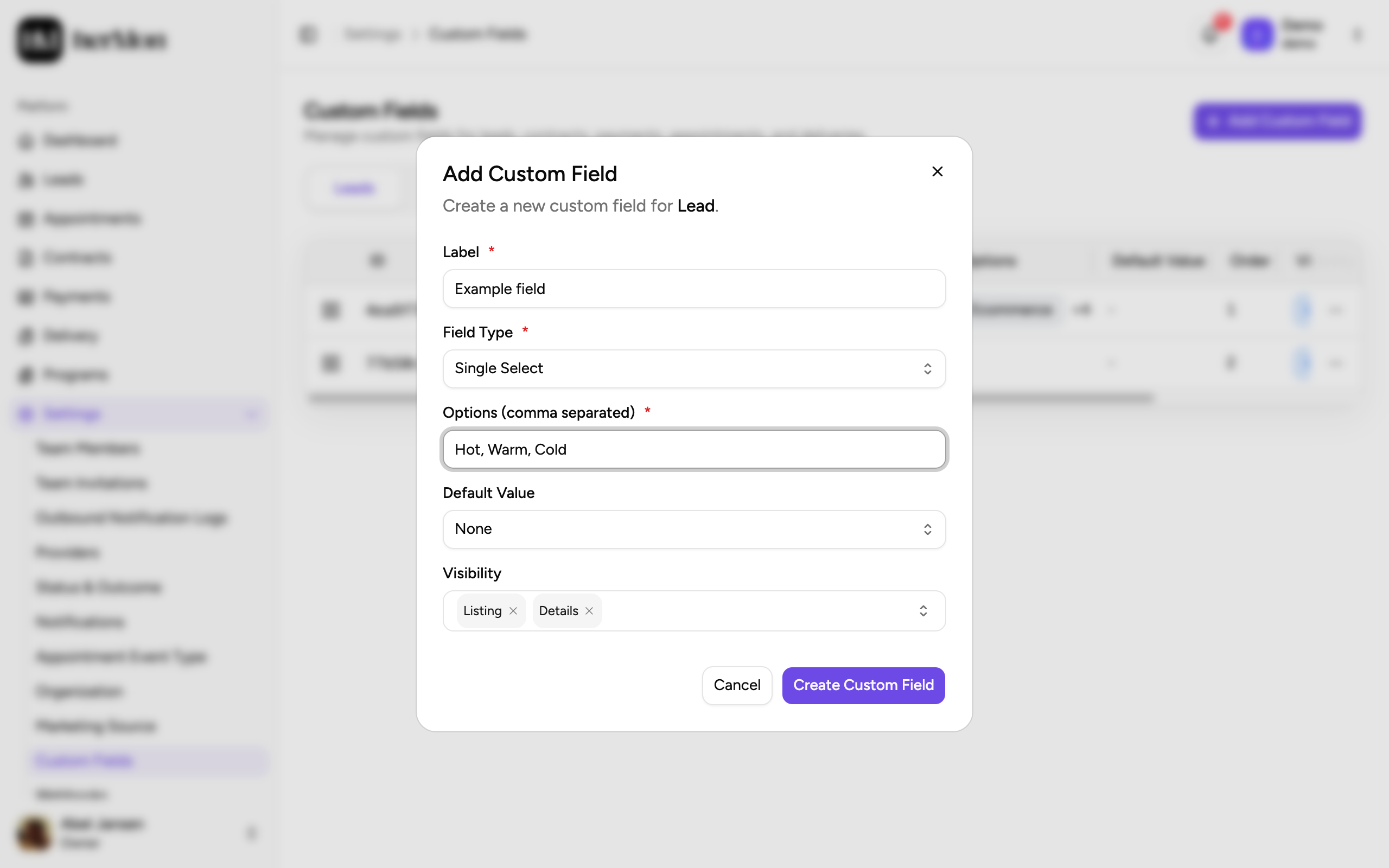
1. The field type. 2. The options of a select field, separated by commas. 3. Where the field is shown. Click Create Custom Field
The field appears in the table of the open tab.
Field types
| Field type | Use it for |
|---|---|
| Text, Long Text | A short answer or a longer note |
| Number, Currency | An amount or a count |
| Date, Date & Time | A moment. The default can be the current date. |
| Boolean (Yes/No) | A yes or no question |
| Single Select, Multi Select | A fixed list of options. Type them in Options (comma separated). |
| URL | A link. Switch on URL with Template to build the link from other values of the record. |
| Email, Phone | Contact details. They are checked for a valid format. |
| User | One of your team members |
Where custom fields show up
Visibility has two choices, and you can pick both.
- Listing is for the list of the record type, where a custom field appears as a column.
- Details is for the page or panel of a single record.
Custom fields also appear in the forms for creating and editing that record, so your team can fill them in. Leave Visibility empty to hide a field from both the list and the details.
To change the order of the fields, drag a row up or down in the table. The Order column follows.
Edit or delete a field
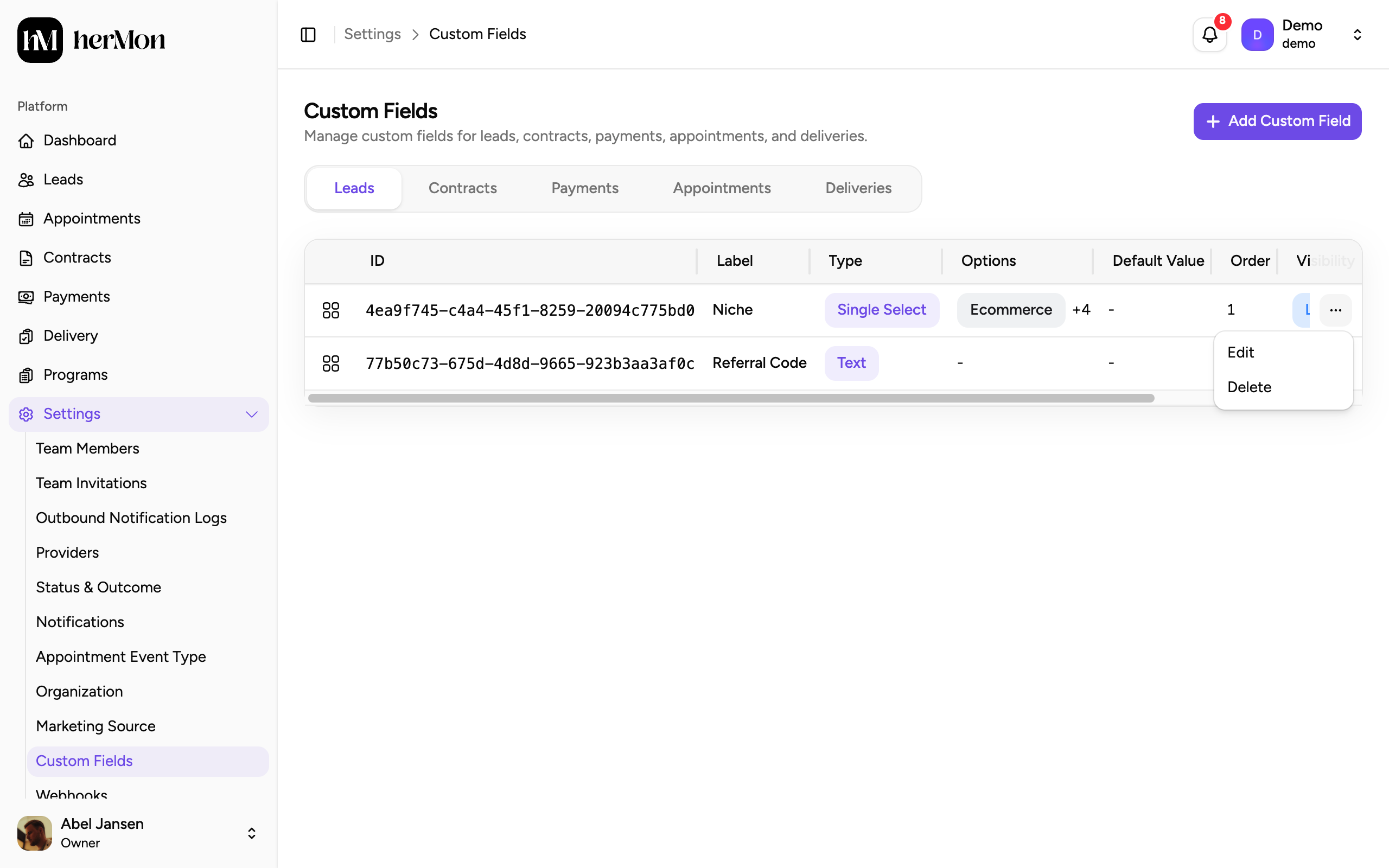
Open the menu at the end of a row and choose Edit or Delete.
When you remove an option from a select field, Hermon asks you to choose a replacement for each removed option. Update Custom Field stays greyed out until every removed option has one.
Before you delete, the dialog tells you how many records have a value in the field.
Deleting a custom field permanently removes its values from all records. The field also disappears from forms, tables, filters, saved views, exports and the API. This cannot be undone.
Good to know
Who can manage custom fields. Owners and Sales Managers. Delivery Managers can open the screen as well, but only see the fields for deliveries.
Options have a maximum length. Each option of a select field can be 30 characters at most.
Changing the field type. When you change the type of an existing field, its options and default value are cleared in the dialog. Check them again before you save.
A field that cannot be deleted. If another field uses this field in its URL template, Hermon lists those fields and blocks the delete. Remove the reference from the template first.
Saved views. A saved view that sorts or filters on a deleted field keeps working and ignores that field. See Work with leads and saved views.
The ID column. Click an ID to copy it. A developer who connects another tool to Hermon may ask you for it. The developer documentation is at docs.hermon.io.