Connect Meta Ads
Connect your Meta account, choose the ad accounts and campaigns to track, and set up your ad links so every lead is matched to the right campaign.
With Meta connected, Hermon reads the spend of your Facebook and Instagram campaigns and matches incoming leads to the campaign, ad set and ad they came from. That is how your dashboard can show which ads bring in calls and deals.
The connection is only half of the work. Hermon recognises a lead by the UTM values in the link of your ad. Without those values a paid lead cannot be matched, so take the UTM section below as seriously as the connection itself.
Connect your Meta account
Open Providers
Click Settings, then Providers, and find the Meta card.
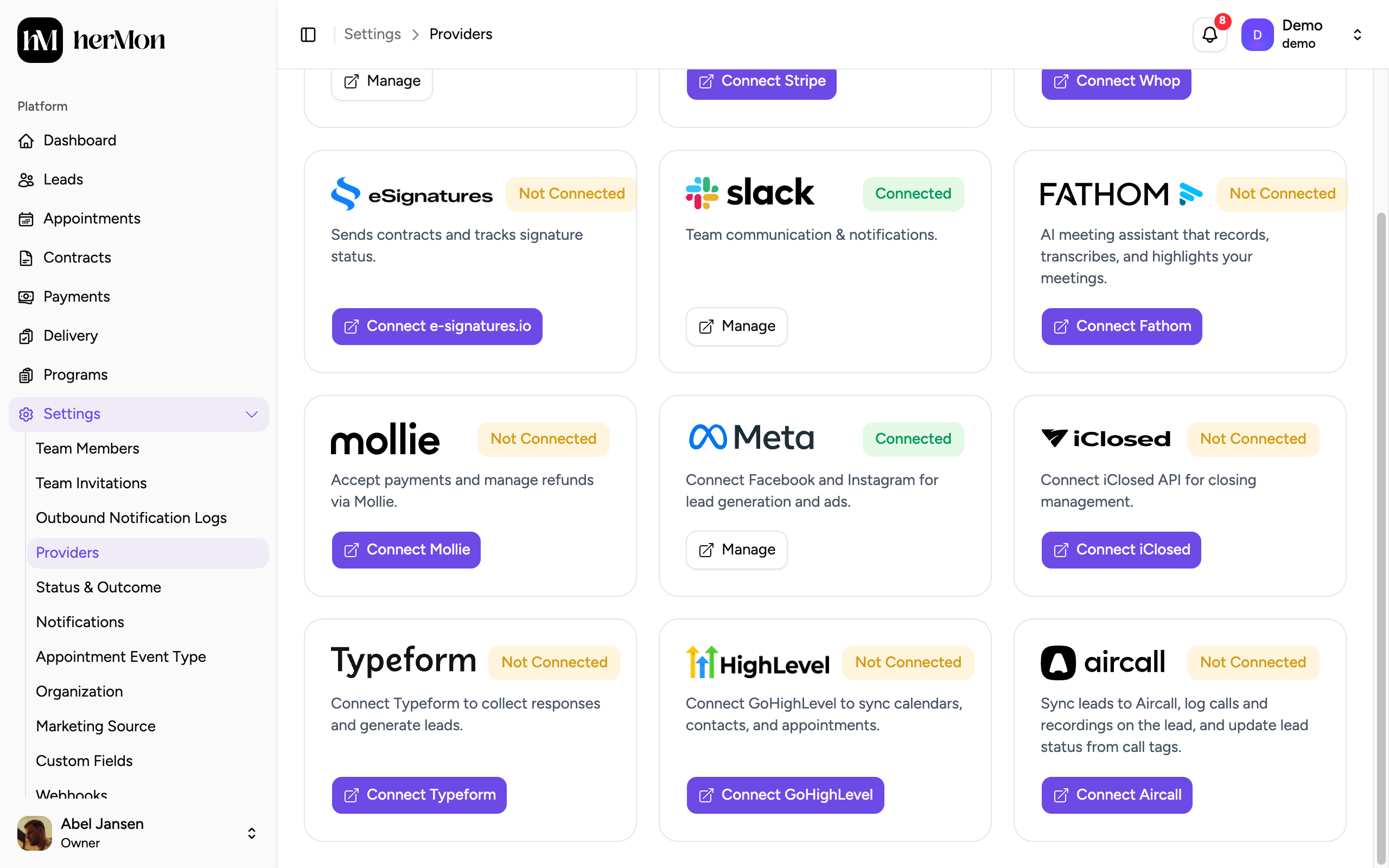
Click Connect Meta
Your browser goes to Facebook. There is no key to paste.
Log in and approve
Log in with the Facebook account that has access to your ad accounts and approve the request.
Return to Hermon
You land back on Providers. The Meta card now shows Connected and its button reads Manage. Hermon starts loading your ad accounts.
Choose ad accounts and campaigns
Hermon only tracks the campaigns you select. Nothing is tracked until you do this.
Open the Meta panel
Click Manage on the Meta card.
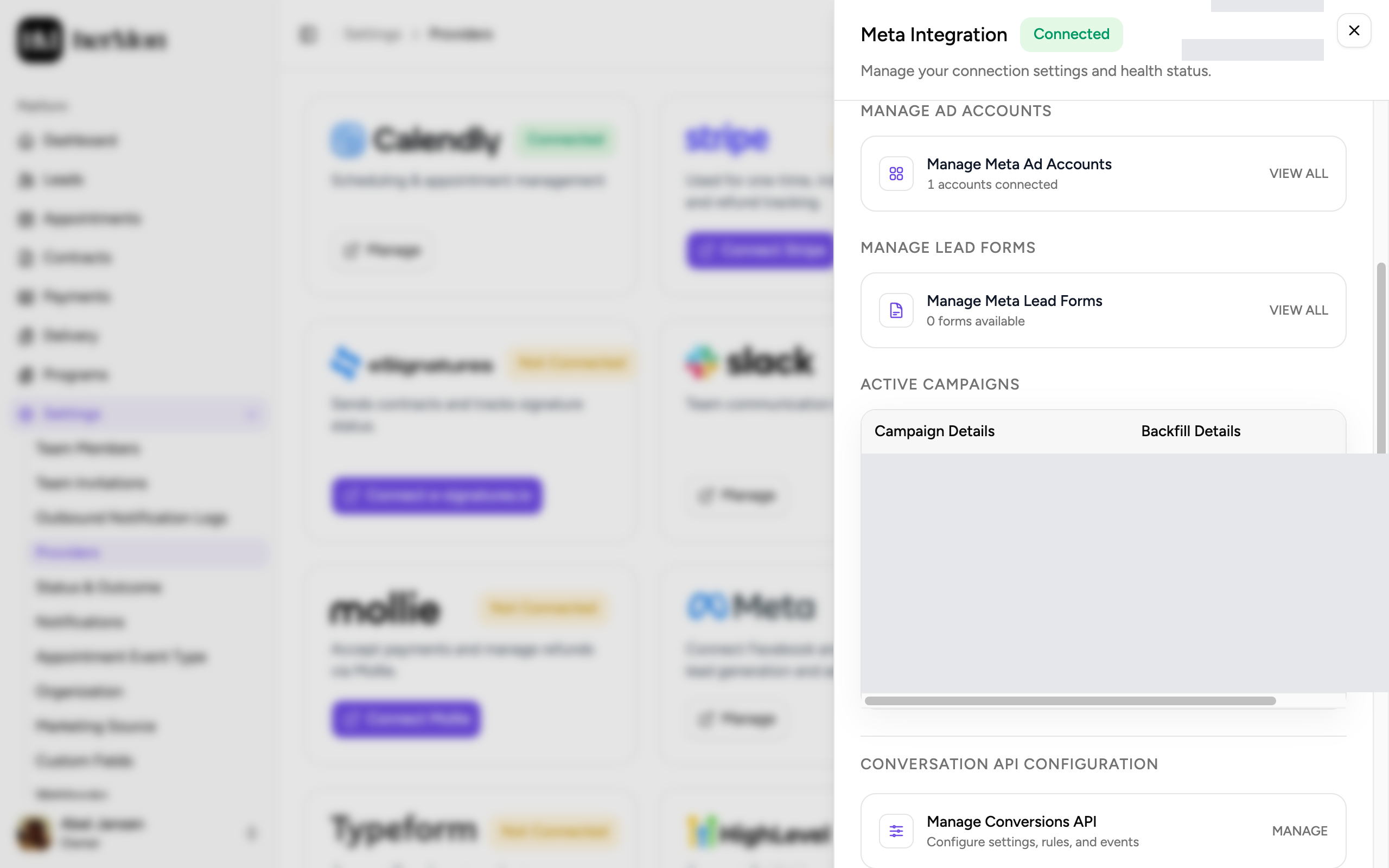
1. Open your ad accounts. 2. The campaigns Hermon tracks. Open your ad accounts
Under Manage Ad Accounts, click Manage Meta Ad Accounts. If an account is missing, click Sync Ad Accounts.
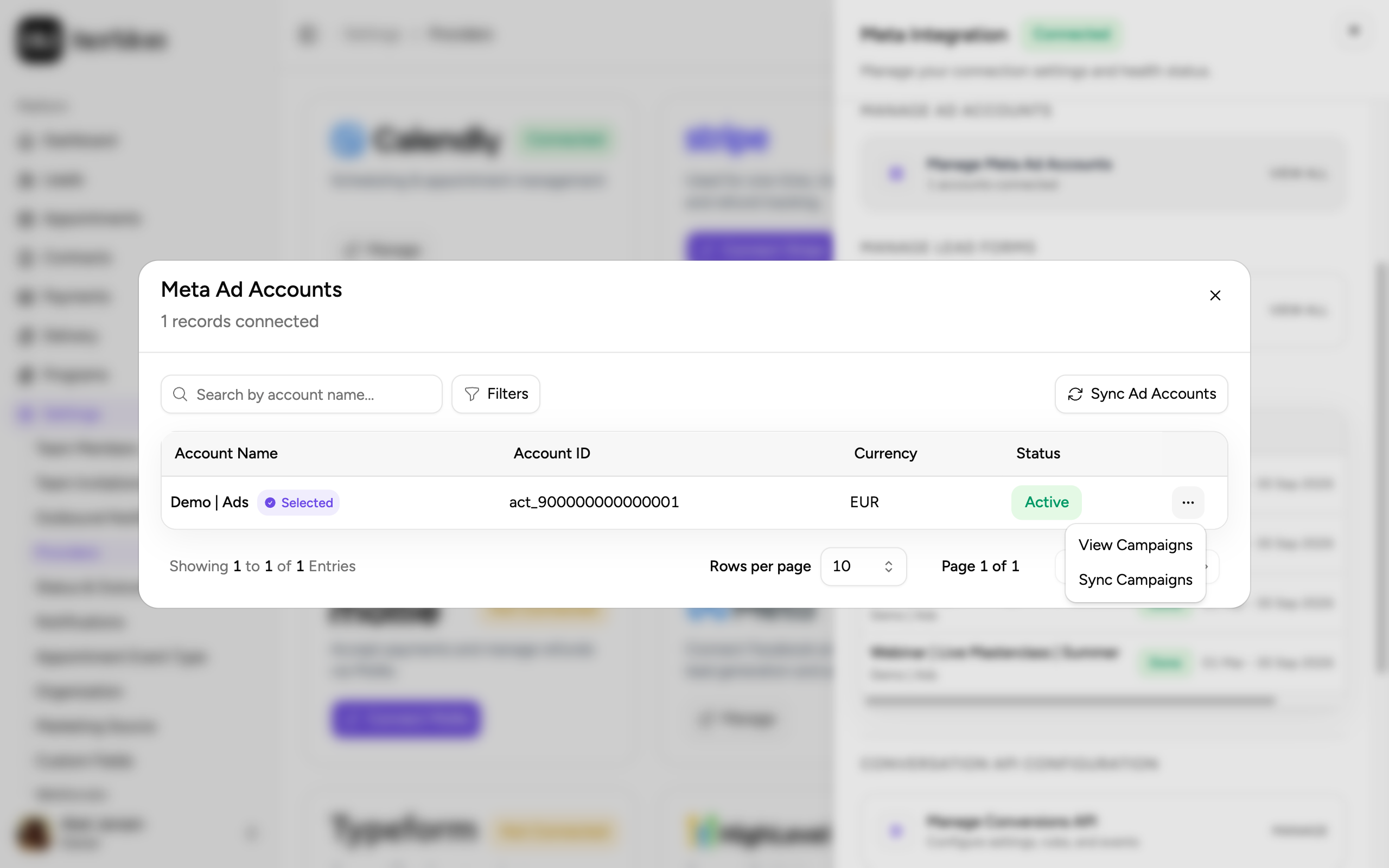
Open the campaigns of an account
Open the menu at the end of the row and choose View Campaigns. Use Sync Campaigns if a new campaign is not listed yet.
Tick the campaigns to track
Tick each campaign you want in Hermon. The filters help you show only active campaigns.
Click Save Selection
The campaigns appear under Active Campaigns in the Meta panel. Hermon then loads their spend, which you can follow in the Backfill Details column.
To stop tracking a campaign, open its menu under Active Campaigns and choose Revoke Access. Sync Insights in the same menu refreshes the numbers of that campaign.
Set up the UTM values in your ads
Add these URL parameters to every Meta ad, in the URL parameters field of the ad.
utm_source=facebook
utm_medium=paid
utm_campaign={{campaign.name}}
utm_content={{adset.name}}
utm_term={{ad.name}}
Paste the values between double curly braces exactly as shown. Meta replaces them with the real names when someone clicks the ad.
| Parameter | What Hermon reads from it |
|---|---|
utm_campaign | The campaign |
utm_content | The ad set |
utm_term | The ad |
A paid lead that arrives without a campaign value cannot be matched, and it is left out of the Meta numbers. Leads that came in without UTM values are not corrected afterwards, so set this up before the ads go live.
When the connection breaks
If the badge on the Meta card reads Warning or Broken, or the button says Connect Meta again, reconnect.
Disconnect
If the card still has a Manage button, click it, scroll to the bottom of the panel and click Disconnect.
Connect again
Click Connect Meta and approve the request on Facebook, as you did the first time.
Check your selection
Open Manage and check that your campaigns are still listed under Active Campaigns.
Your ad accounts and the spend Hermon already loaded are kept when you reconnect with the same Meta account.
Good to know
How a lead is matched. Hermon compares the campaign value first, then the ad set, then the ad. If the campaign is not recognised, the lead stays unmatched, even when the ad set or ad name looks right.
Names and IDs both work. Hermon matches on the name in Meta or on the Meta ID. Capital letters and extra spaces do not matter.
Only selected campaigns count. A lead from a campaign you did not select is not matched. After you select the campaign, Hermon checks earlier unmatched leads again.
Give campaigns unique names. When two campaigns share a name, Hermon picks the one that was spending around the day the lead came in. If it still cannot tell them apart, the lead stays unmatched.
Renaming is fine. Hermon refreshes campaign, ad set and ad names regularly.
A different Meta account. If you connect another Meta account, the selections of the previous account are archived. Connect the previous account again to restore them.
Unmatched leads. Paid leads that could not be matched can be attached to a campaign by hand from the dashboard. Hermon remembers that choice for future leads with the same values.
Only Owners can open Providers. More about providers in Invite your team and connect integrations.